logo
Home > Products >
FPV VTX
>
5W 1.2GHz FPV Video Transmitter with IRC Tramp Protocol

5W 1.2GHz FPV Video Transmitter with IRC Tramp Protocol

Product Details:
Place of Origin: China
Brand Name: Kimpok
Certification: CE Cerfication
Model Number: KP-T1250
Document: 1.2G 5W VTX Manual.pdf
Detail Information
Place of Origin:
China
Brand Name:
Kimpok
Certification:
CE Cerfication
Model Number:
KP-T1250
Channel:
9CH
Frequency Range:
1080MHz- 1360MHz
Protocol:
IRC- Tramp
Power Supply:
DC 7-36V 2-8S
Weight:
38g
Highlight:

High Light

Highlight:

5W FPV VTX transmitter

,

1.2GHz video transmitter

,

9CH 1080MHz-1360MHz VTX

Trading Information
Minimum Order Quantity:
1
Price:
Negotiation
Packaging Details:
International standard packing
Delivery Time:
3-7 work days
Payment Terms:
L/C,Western Union,Paypal
Supply Ability:
5,000 pieces per month
Product Description
5W 1.2GHz Wireless FPV Video Transmitter High Power VTX Drone Accessories
Attribute Value
Channel 9CH
Frequency Range 1080MHz-1360MHz
Protocol IRC-Tramp
Power Supply DC 7-36V 2-8S
Weight 38g
5W 1.2G Wireless Video Transmitter

High-power 1.2GHz VTX for remote transmission drone accessories with advanced image transmission capabilities.

Product Appearance
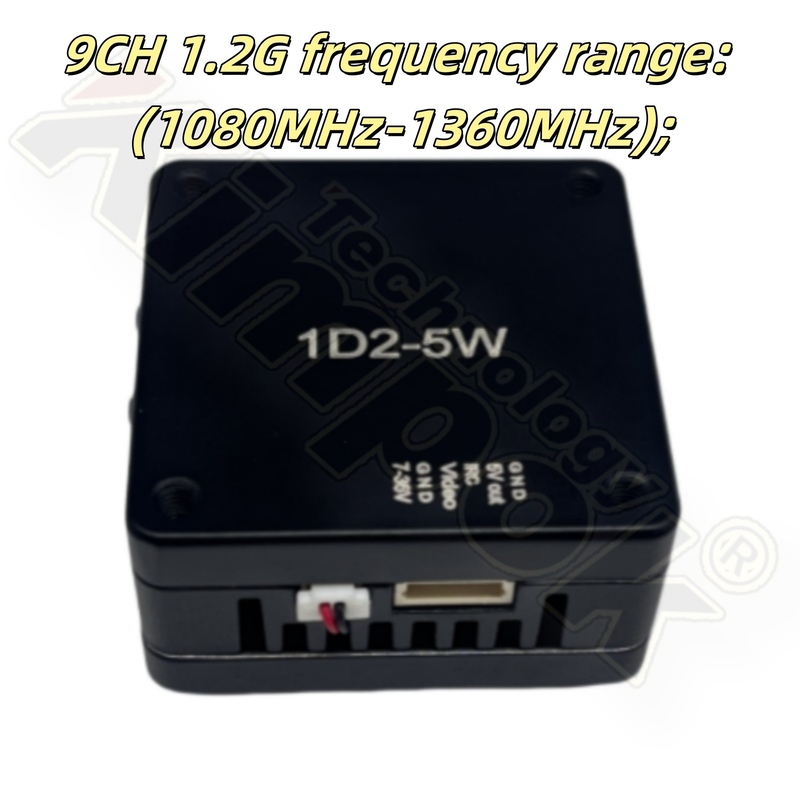
5W 1.2GHz Wireless FPV Video Transmitter product appearance
Product Dimension
5W 1.2GHz Wireless FPV Video Transmitter dimensions
Technical Specifications
  • 9CH 1.2G frequency range: 1080MHz-1360MHz
  • Max power: 5W (25mW/5000mW, two-level adjustable)
  • Input voltage: DC 7V-36V, supporting 2-8S battery input
  • Antenna connector: MCX
  • Smart audio: IRC Tramp
  • Heat-dissipating method: aluminum alloy shell with heat sink & fan
  • Hole spacing: 30.5mm × 30.5mm / ø3.0mm
  • Dimension: 38mm × 38mm × 20.7mm
  • Weight: 38g
Function Introduction
5W 1.2GHz Wireless FPV Video Transmitter function diagram
  • Channel indicator: Red LED
  • Band indicator: Blue LED
  • Power indicator: Green LED
  • Band & Channel changer button
  • Power changer button
  • 1.0 6P Power connector
  • Cooling Fan Power Cable Holder
  • MCX antenna connector
Operation Guide

Channel Selection: Short press button 4 to cycle through channels 1-9 (indicated by red LED flashes).

Channel selection diagram

Power Adjustment: Short press button 5 to toggle between 25mW (1 green flash) and 5000mW (2 green flashes). Hold for 3 seconds to enter pit mode (green light stays on).

Power adjustment diagram
Temperature Protection:
When temperature exceeds 100°C, power automatically reduces in steps until temperature drops below 95°C, then returns to original setting.
Frequency Table
Frequency table for 1.2GHz VTX
6P 1.0 Wiring Diagram
6P 1.0 wiring diagram
Usage Guidelines
  • Ensure adequate ventilation space for proper heat dissipation
  • Verify correct voltage range and polarity before powering on
  • Always install antenna before powering on to extend module life
  • Read instruction manual thoroughly before use
Additional product view 1 Additional product view 2 Additional product view 3 Additional product view 4